
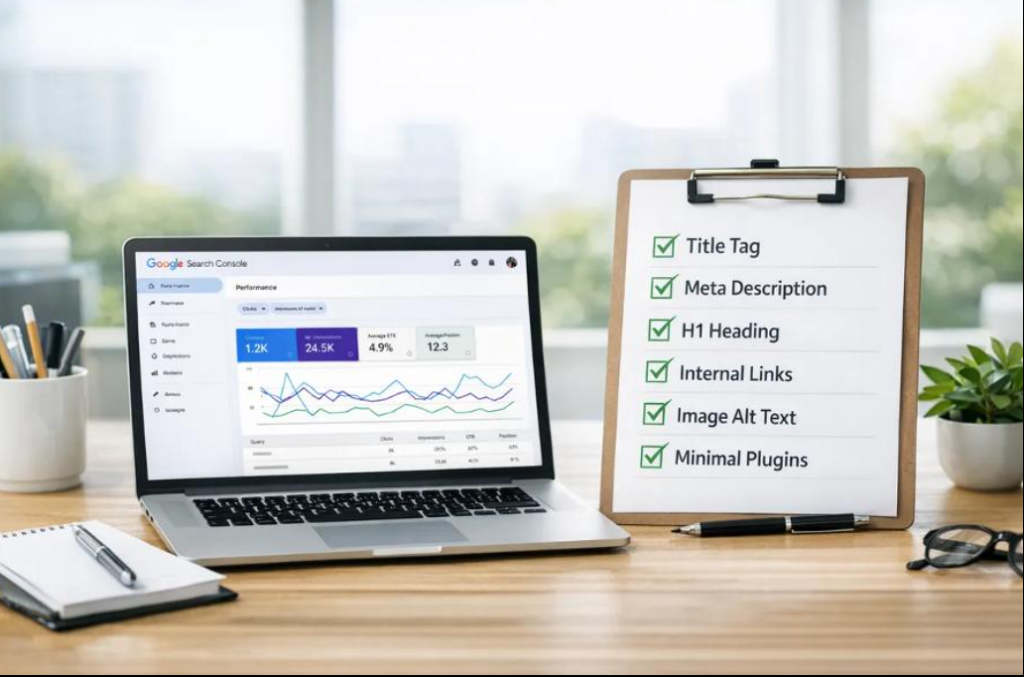
SEO for posts and pages helps your website become easier to find on search engines like Google. If you have a WordPress website, learning on-page SEO can help you improve your blog posts and website pages. In this guide, you will learn how to choose a focus keyword, optimize titles, use headings, add images, write alt text, and create internal and outbound links.
What Is SEO for Posts and Pages?
SEO for posts and pages means optimizing your website content so search engines can understand it and users can find useful information. Posts are commonly used for blogs and articles, while pages are used for Home, About, Services, and Contact information. Both need clear content, useful headings, relevant images, and proper links.
Choose the Right Focus Keyword SEO on Posts and Pages

SEO for posts and pages starts with selecting a suitable focus keyword. A focus keyword is the main search phrase you want your article to target. For this blog, the focus keyword is SEO for posts and pages.
Use keyword research to understand what people want to learn. Include your focus keyword naturally in the title, introduction, relevant headings, URL, and image alt text when appropriate. Avoid repeating it unnecessarily because keyword stuffing can make your content difficult to read.
Optimize Your SEO Title and Meta Description
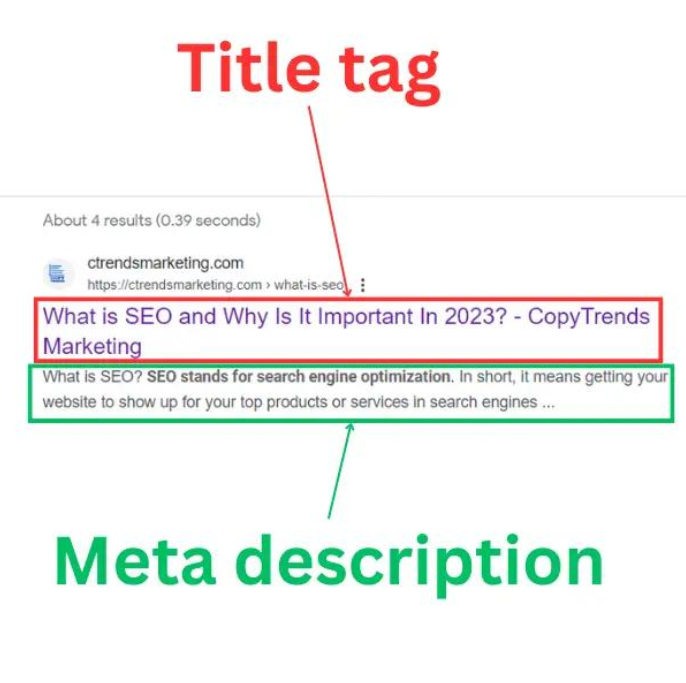
SEO for posts and pages includes writing a clear SEO title and meta description. Your title should describe the article, while your meta description should briefly explain what readers will learn.
SEO Title: SEO for Posts and Pages: A Beginner’s Guide
Meta Description: Learn SEO for posts and pages with simple tips for keywords, headings, images, internal links, and WordPress optimization.
URL Slug: seo-for-posts-and-pages
Write unique titles and descriptions for important pages. Google may generate its own search title or snippet, so displaying your exact wording is not guaranteed.
Use Proper Heading Structure
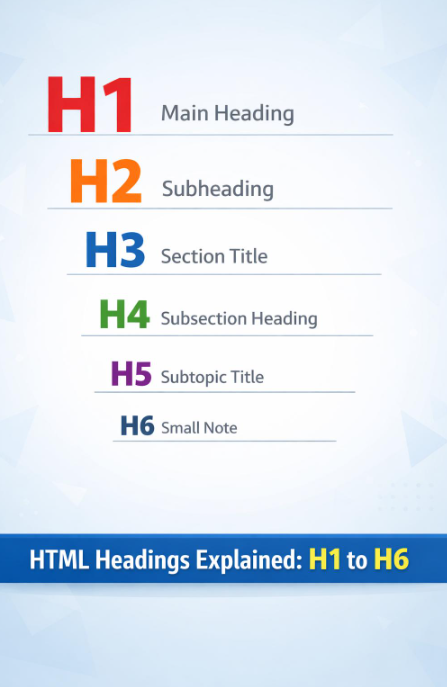
SEO for posts and pages becomes easier when your content follows a clear heading structure. Use H1 for the main article title, H2 for major sections, and H3 for supporting topics. H4, H5, and H6 can organize more detailed information when necessary.
H3: Organize Your Content
Use headings that explain what each section contains. For example, “Optimize Images for SEO” is more helpful than a vague heading such as “More Information.”
H4: Write Clear Subheadings
Keep your paragraphs focused on one main idea and make your content easy to scan.
H5: Add Supporting Details
Use smaller headings when they genuinely help organize instructions or examples.
H6: Include Additional Notes
Use H6 only when a deeper heading level is useful. You do not need every heading level in every article.
Optimize Images and Alt Text
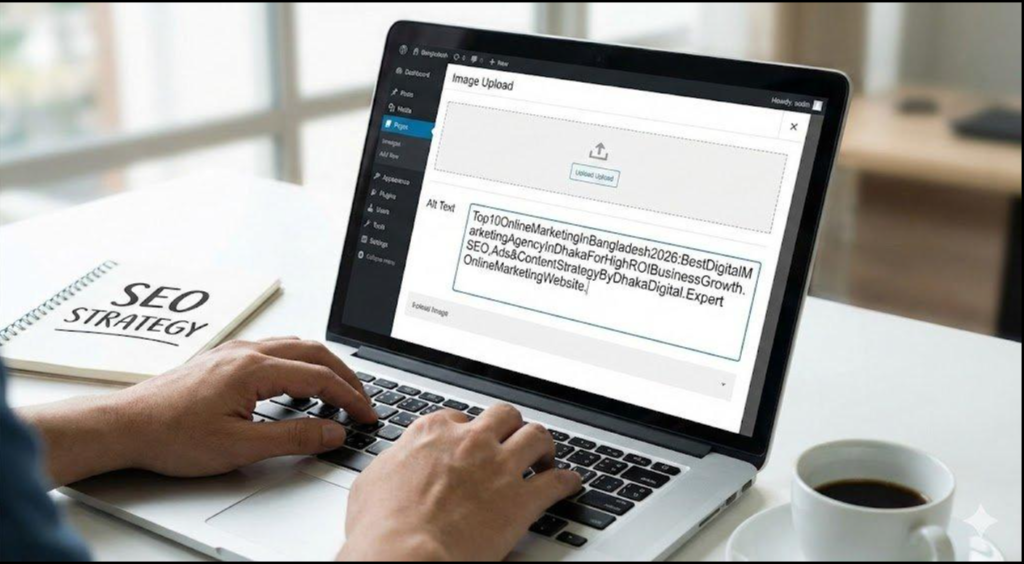
SEO for posts and pages also includes image optimization. Use relevant images, descriptive filenames, suitable image sizes, and meaningful alt text.
Suggested images for this article:
- Featured image: SEO optimization on a laptop.
Alt text: SEO for posts and pages checklist on a laptop. - Keyword research image: A keyword research dashboard.
Alt text: Keyword research for SEO content optimization. - SEO title image: A search result showing a title and description.
Alt text: SEO title and meta description example. - Heading structure image: An illustration of H1 to H6 headings.
Alt text: Heading structure for SEO for posts and pages. - Image optimization image: A website image editing workspace.
Alt text: Image optimization and alt text for website SEO.
Use alt text that accurately describes each image. Do not repeat the same keyword in every image description. Compress images to help your pages load efficiently.
Add Internal and Outbound Links
SEO for posts and pages includes linking to other relevant resources. Internal links connect pages on your own website and help visitors discover your services.
For example, explore our Digital Marketing Services, About Us, Portfolio, and Contact Page.
You can also link to trusted external resources such as the Google SEO Starter Guide and Google Search Essentials. Use descriptive link text and ensure that every link works correctly.
Optimize Your WordPress Posts and Pages
SEO for posts and pages can be managed through a simple WordPress workflow. Open Posts or Pages, edit your content, set the permalink, and enter your SEO title, meta description, and focus keyword in your SEO plugin. Add relevant images, check your links, and preview the content on mobile devices before publishing.
After publishing, use Google Search Console to monitor impressions, clicks, search queries, and indexing status. Improve your content when you identify a genuine opportunity.
Watch a Related YouTube Video
SEO for posts and pages can be easier to understand with a practical video demonstration. Visit the RIDI Digital YouTube channel and select a related SEO tutorial. Embed your chosen video in WordPress using the YouTube block or the video’s official embed code.
Common SEO Mistakes to Avoid
SEO for posts and pages should focus on useful content rather than shortcuts. Avoid keyword stuffing, copied content, missing image descriptions, broken links, misleading titles, and poorly organized headings. Do not expect immediate results or assume that a high SEO plugin score guarantees a top Google ranking.
Conclusion
SEO for posts and pages is an ongoing process that combines helpful content with effective optimization. Choose a relevant focus keyword, write a clear title, organize headings, optimize images, add useful links, and monitor your results. Publish original content that answers your audience’s questions and update it when necessary.
Remember, successful SEO is not about repeating keywords everywhere. It is about creating a useful experience for both search engines and readers.